
Reservations
Online booking, reservation management, guest details, and connected table workflows.
Restaurant Operating System
Connect the guest journey from the first search to the next visit — without fragmented systems or entering the same data twice.
What you see in one system
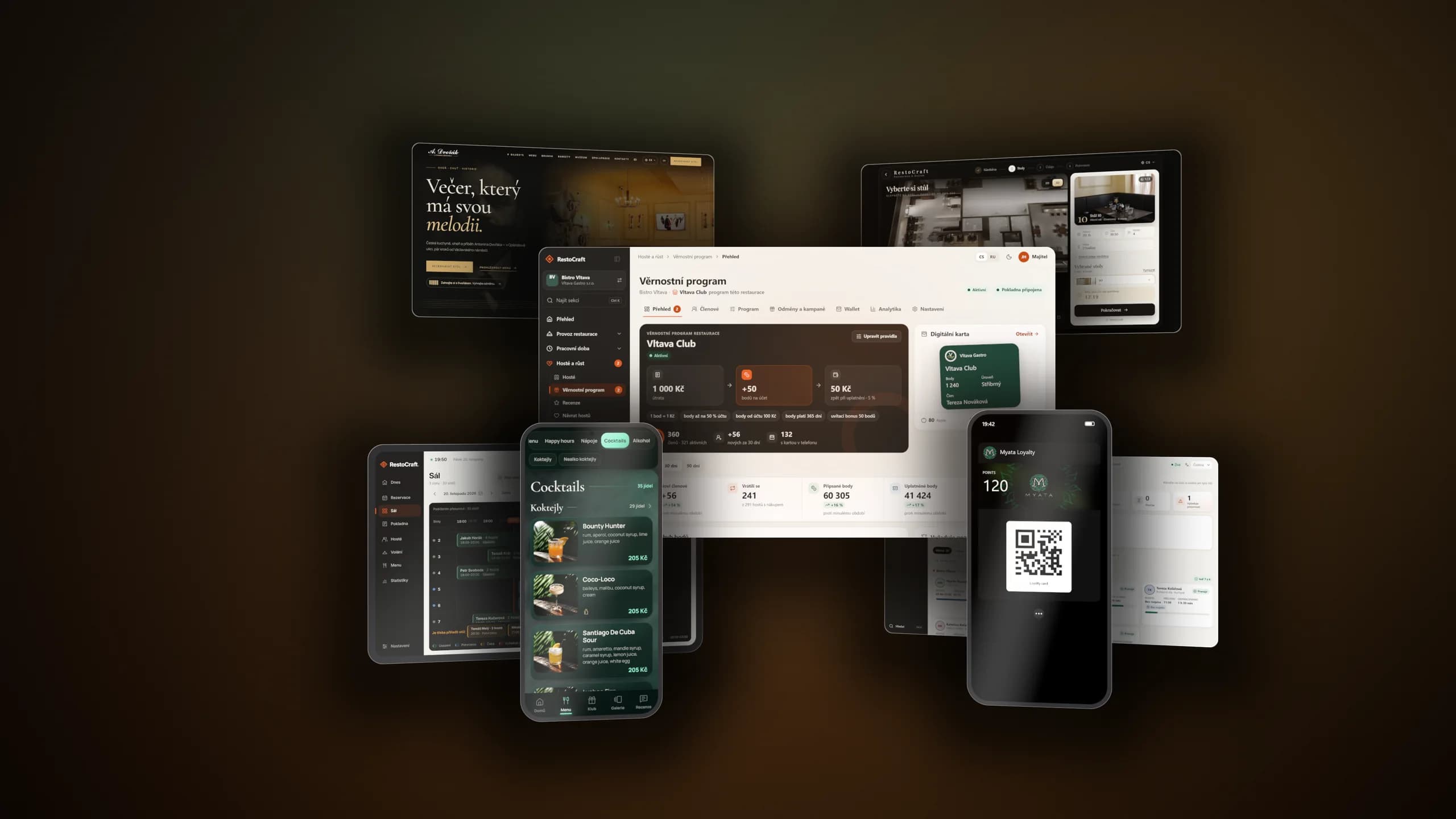
The platform film
Booking, the QR menu, loyalty and operations as the guest and the restaurant team see them — in one short film.
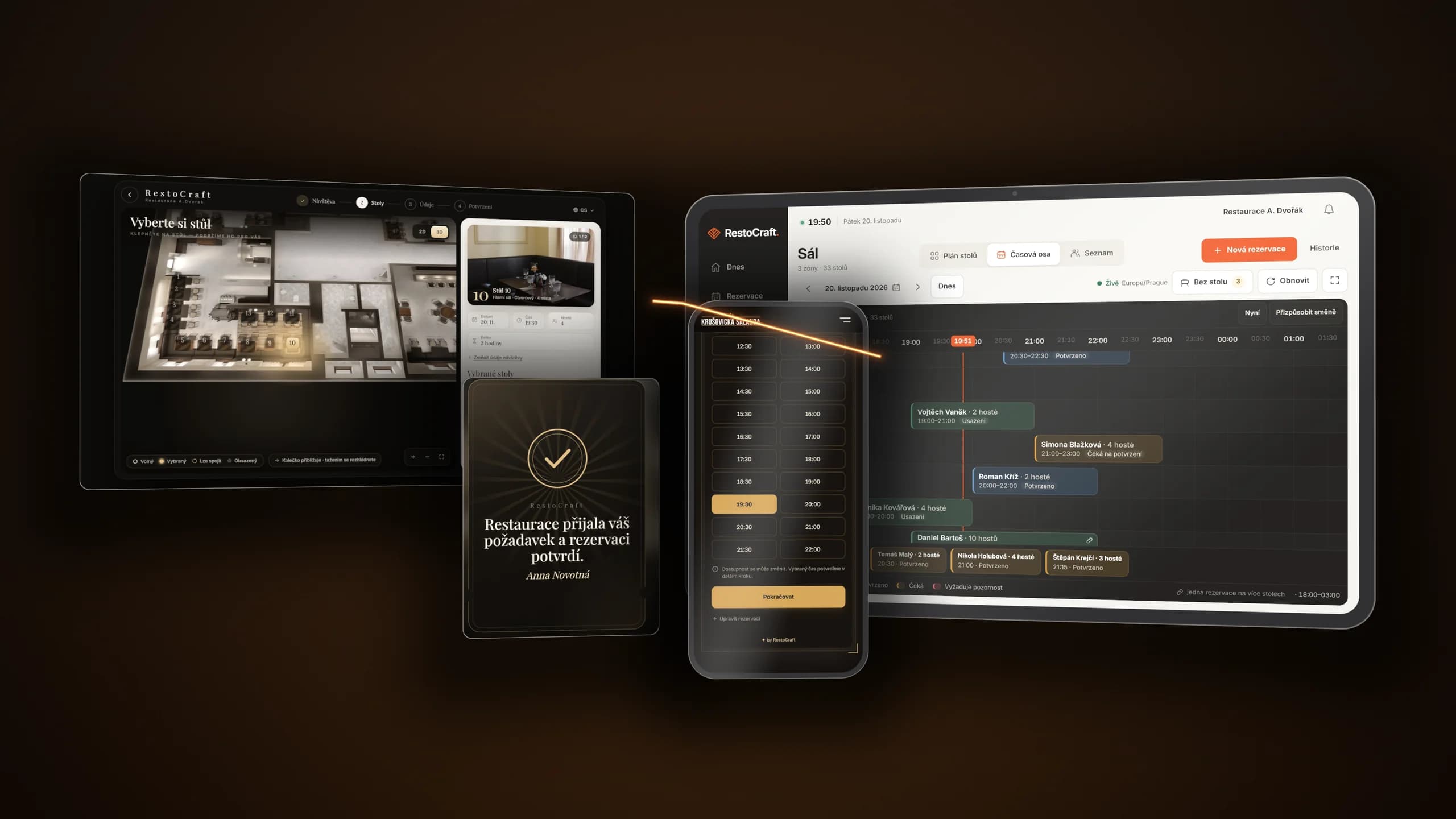
Bookings and floor plan
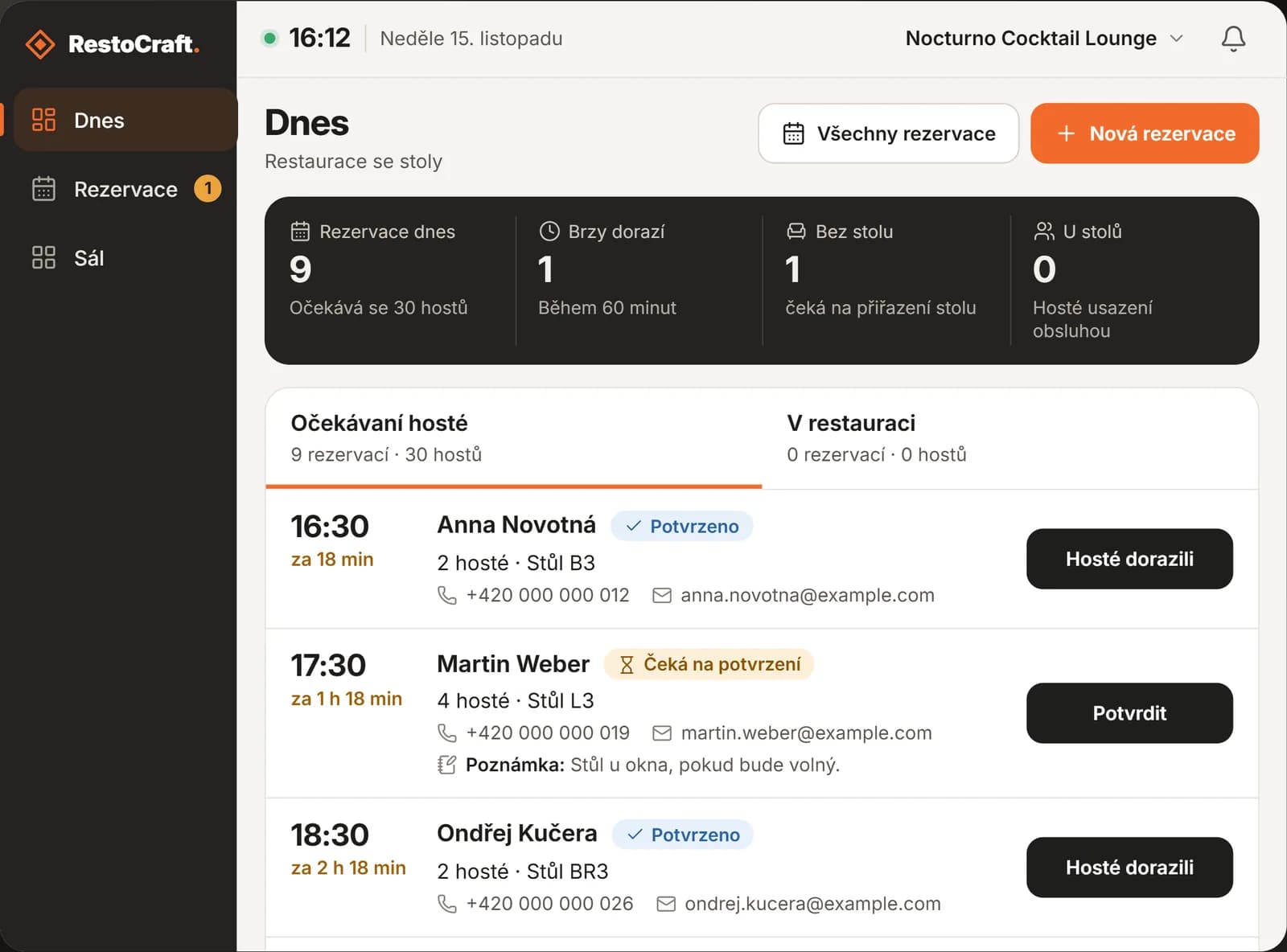
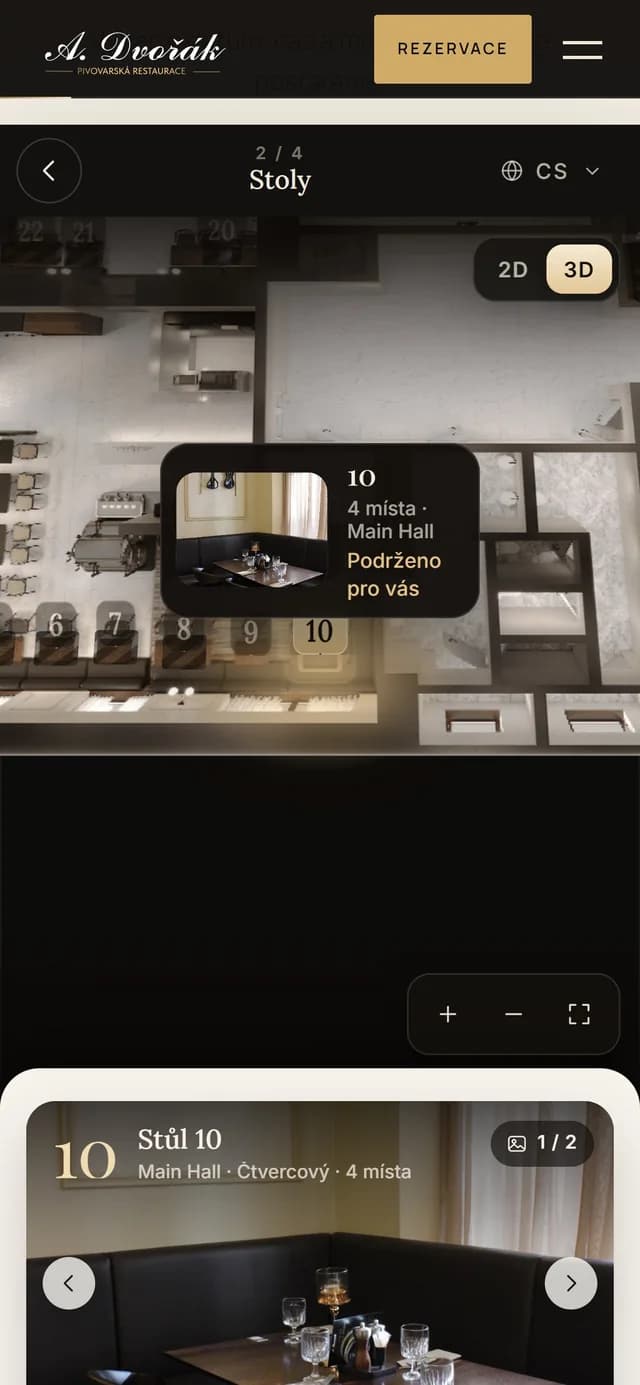
A form on your website and in the QR menu where guests pick a time and a table on the floor plan. The booking lands on the restaurant tablet straight away — the team confirms it, seats the guests and knows who sits where.
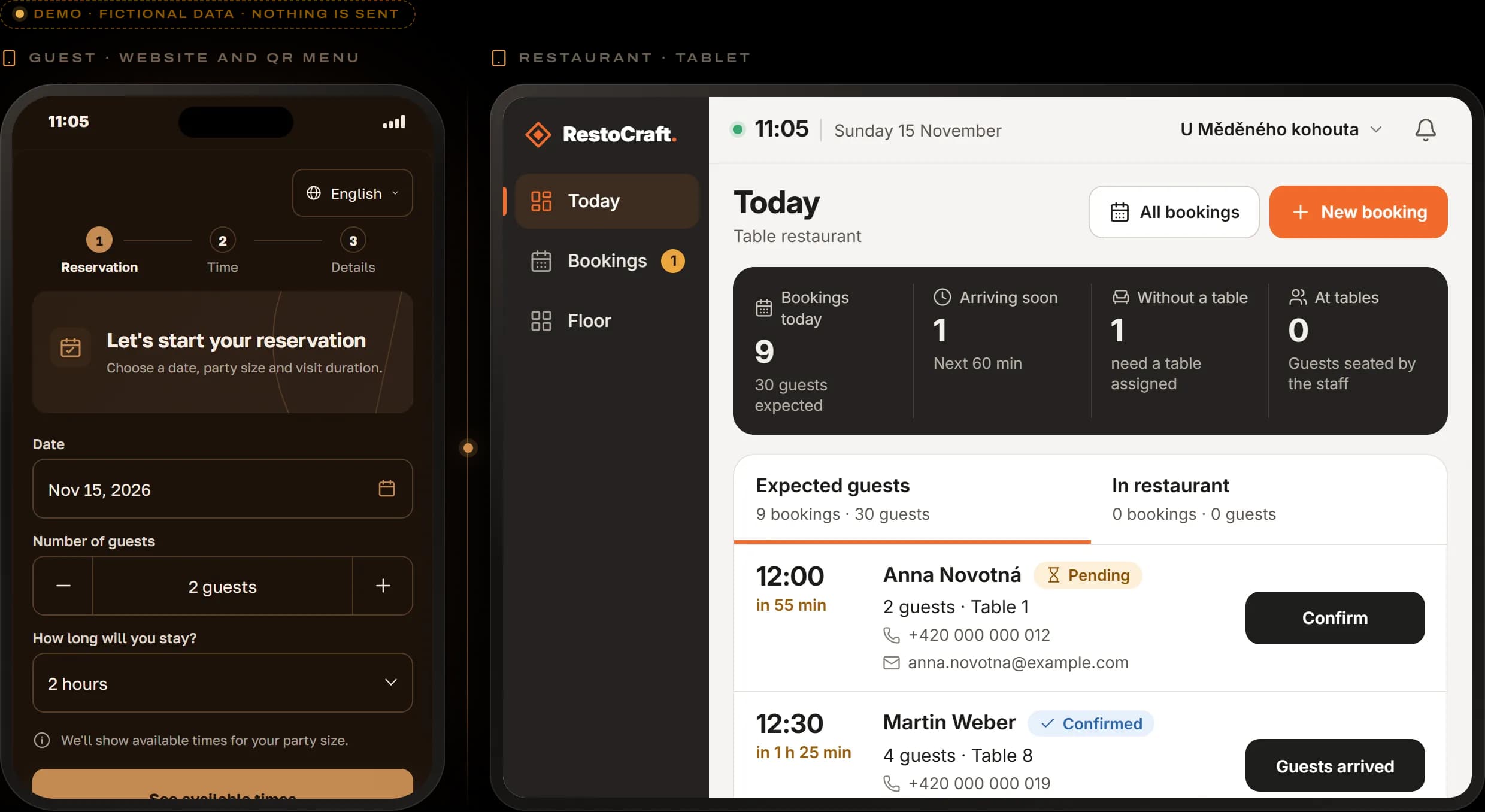
The guest picks a day, a time and the party size and leaves a contact. The booking lands on the restaurant tablet at once, where the team confirms it and assigns a table.
A demo with made-up data — nothing is sent.
QR menu
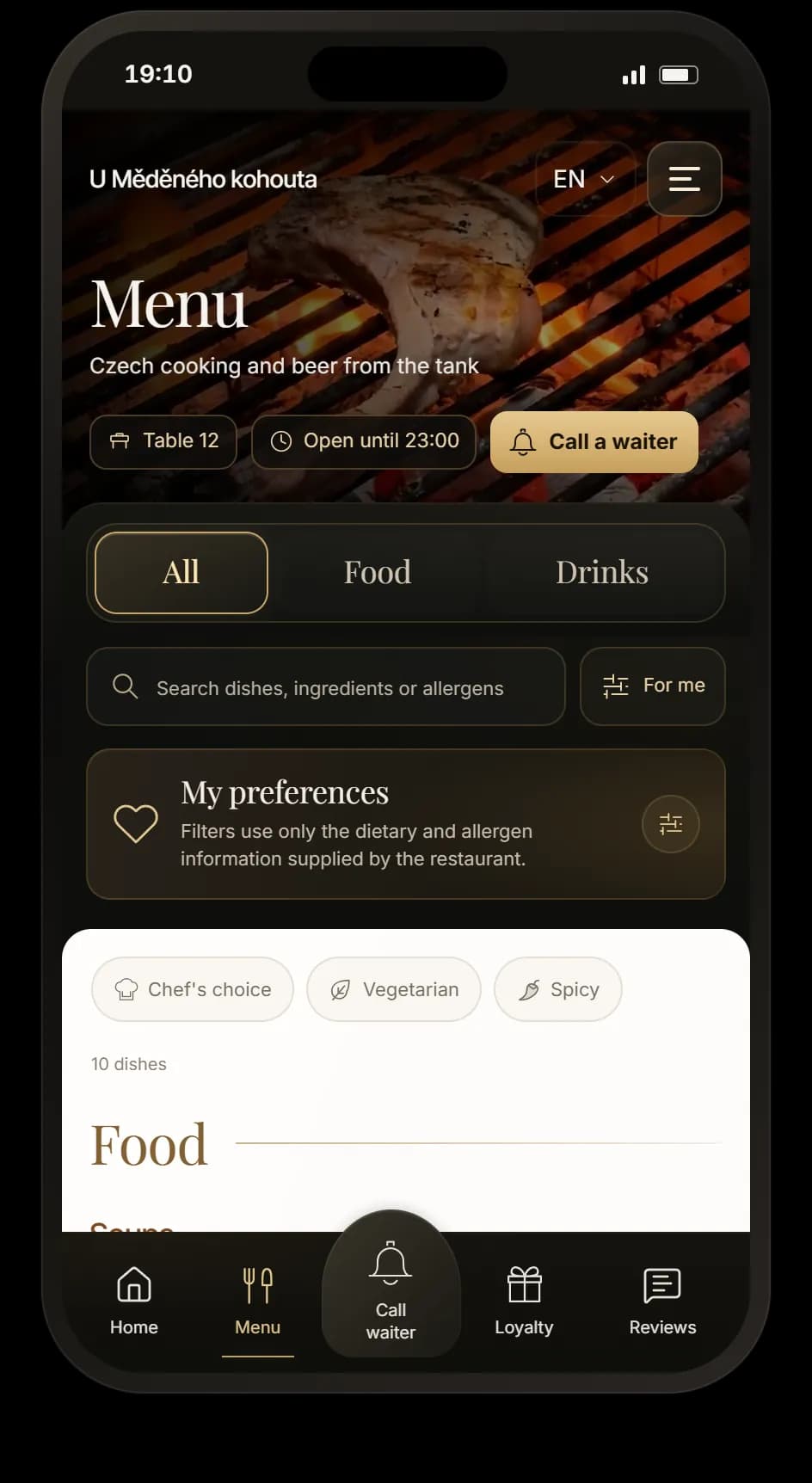
The QR code on the table opens the menu without an app — with dish photos, allergens and in more than 100 languages. The same menu can live on your website, and it looks like your venue.
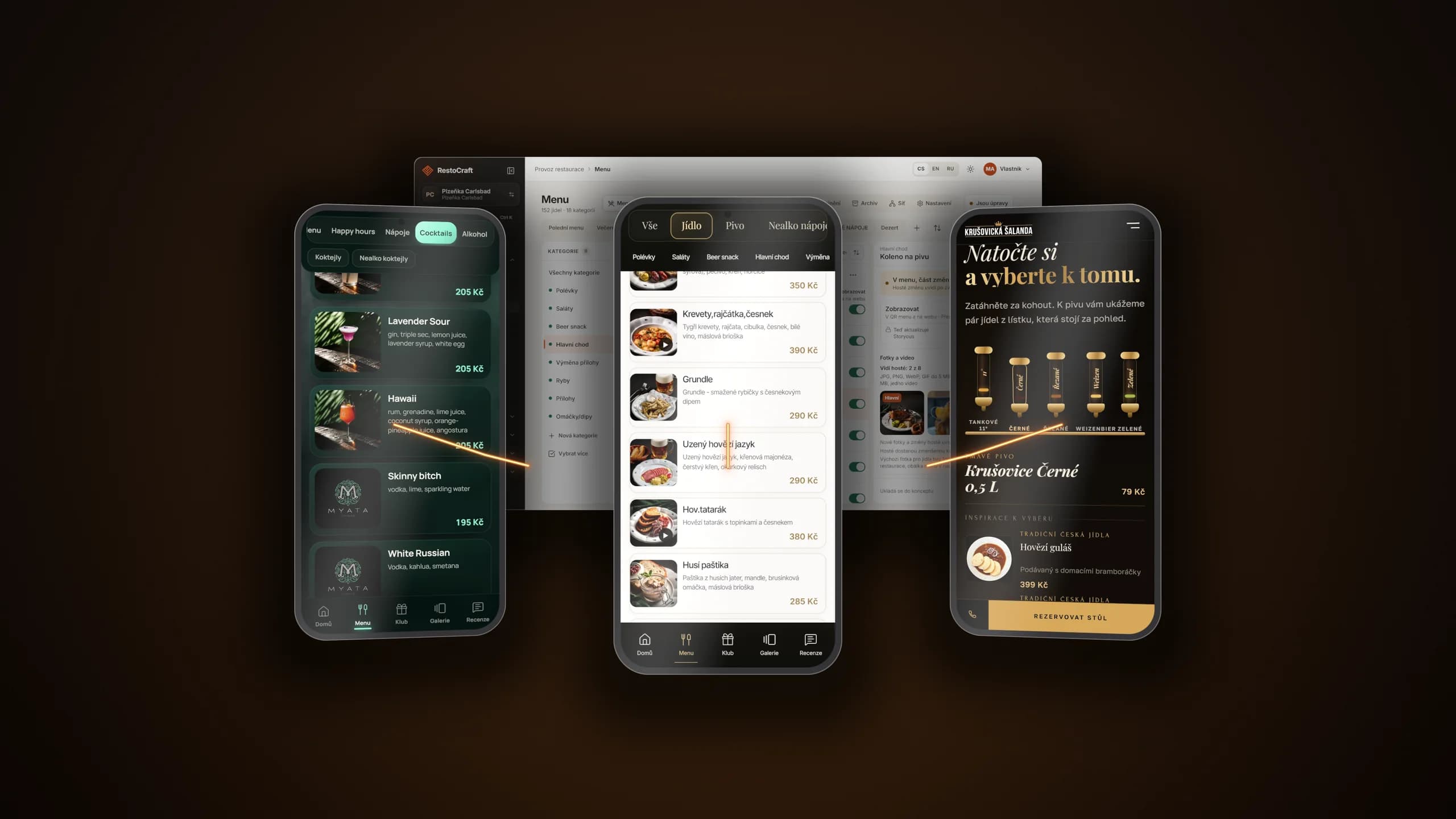
This is what the guest sees after scanning the QR code on the table. Browse the categories, open a dish or switch the language.
Sample names and prices, real dish photos from menus on RestoCraft — nothing is sent.
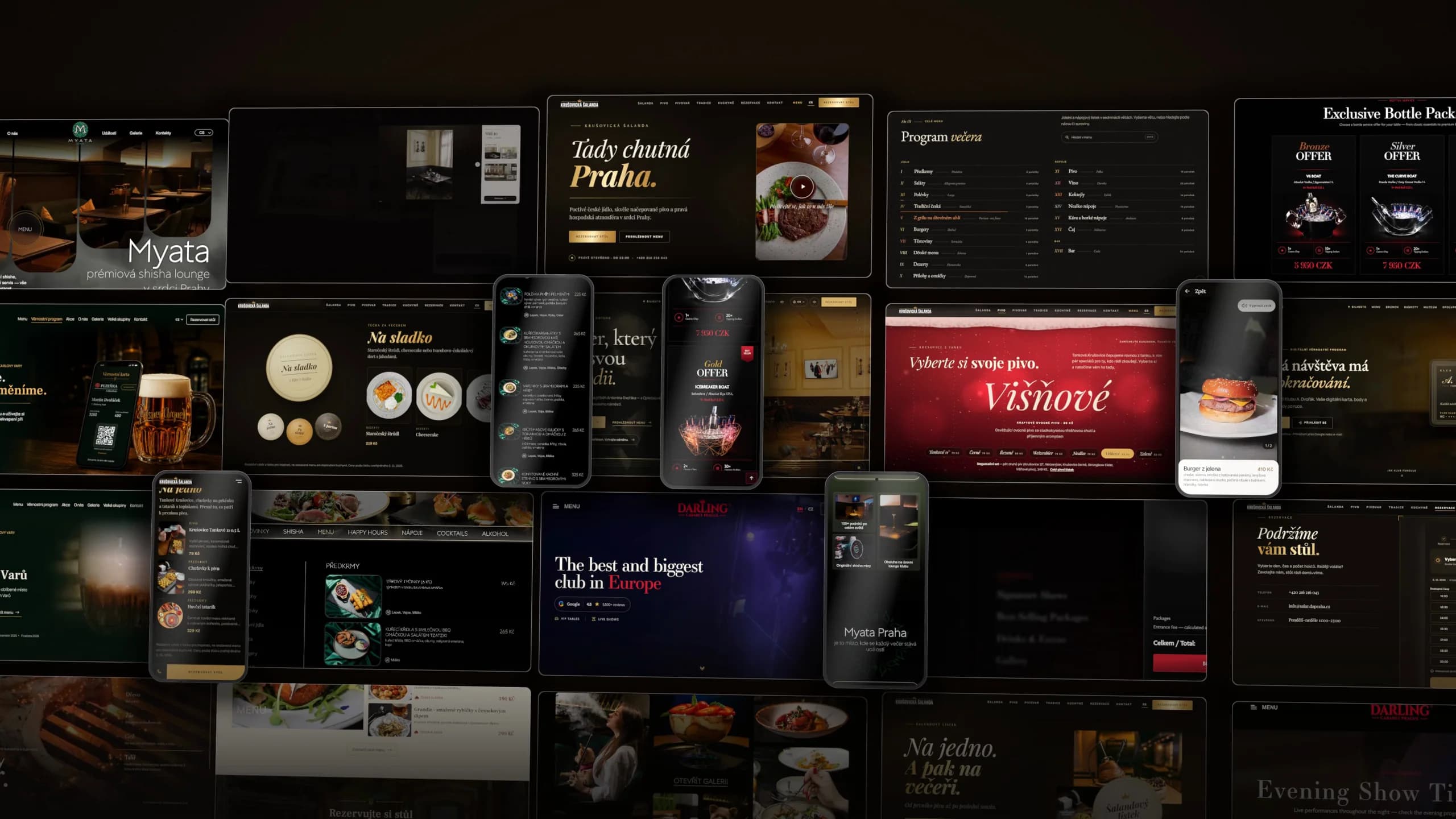
Real menus of venues on RestoCraft: the same system, a different look every time.
Websites
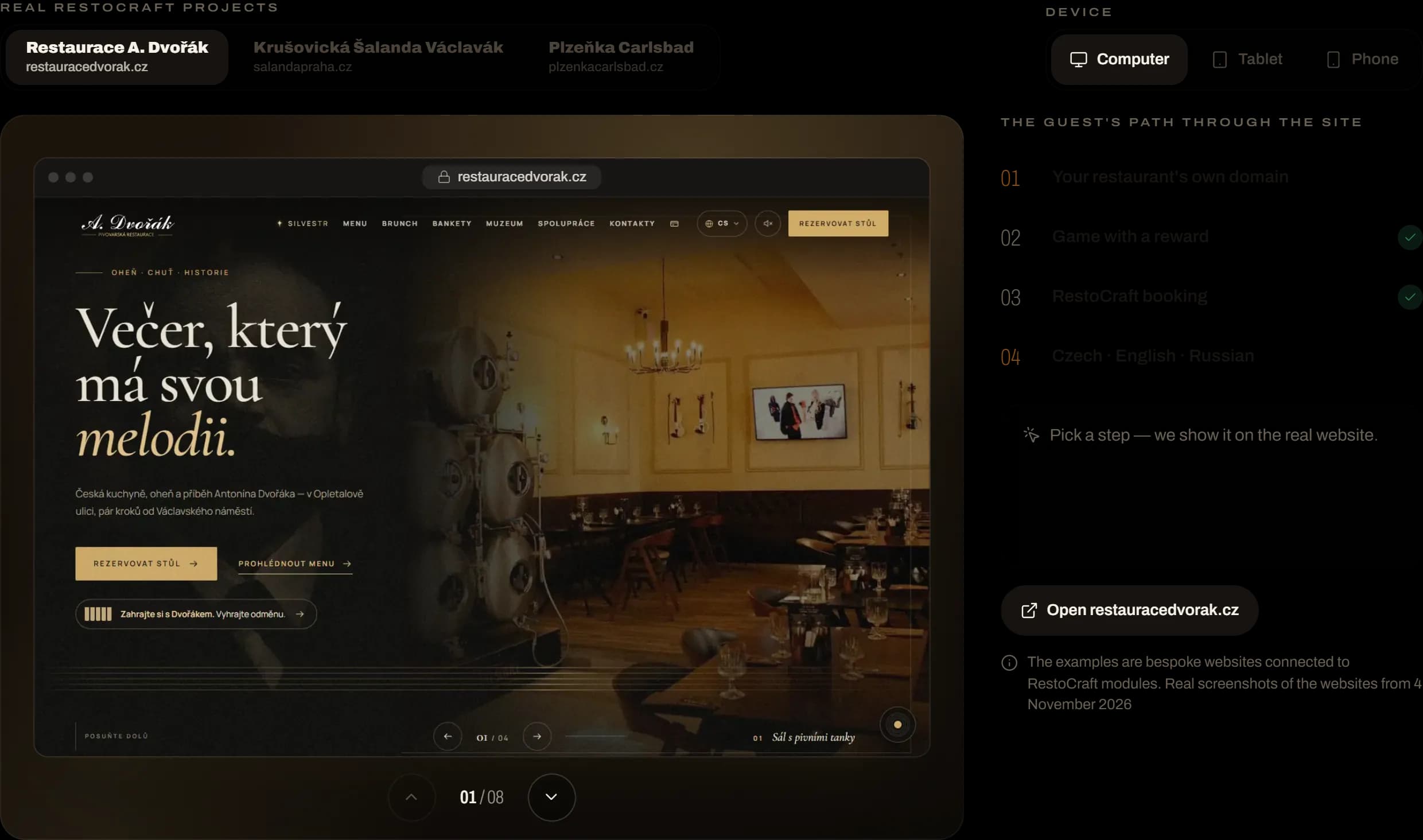
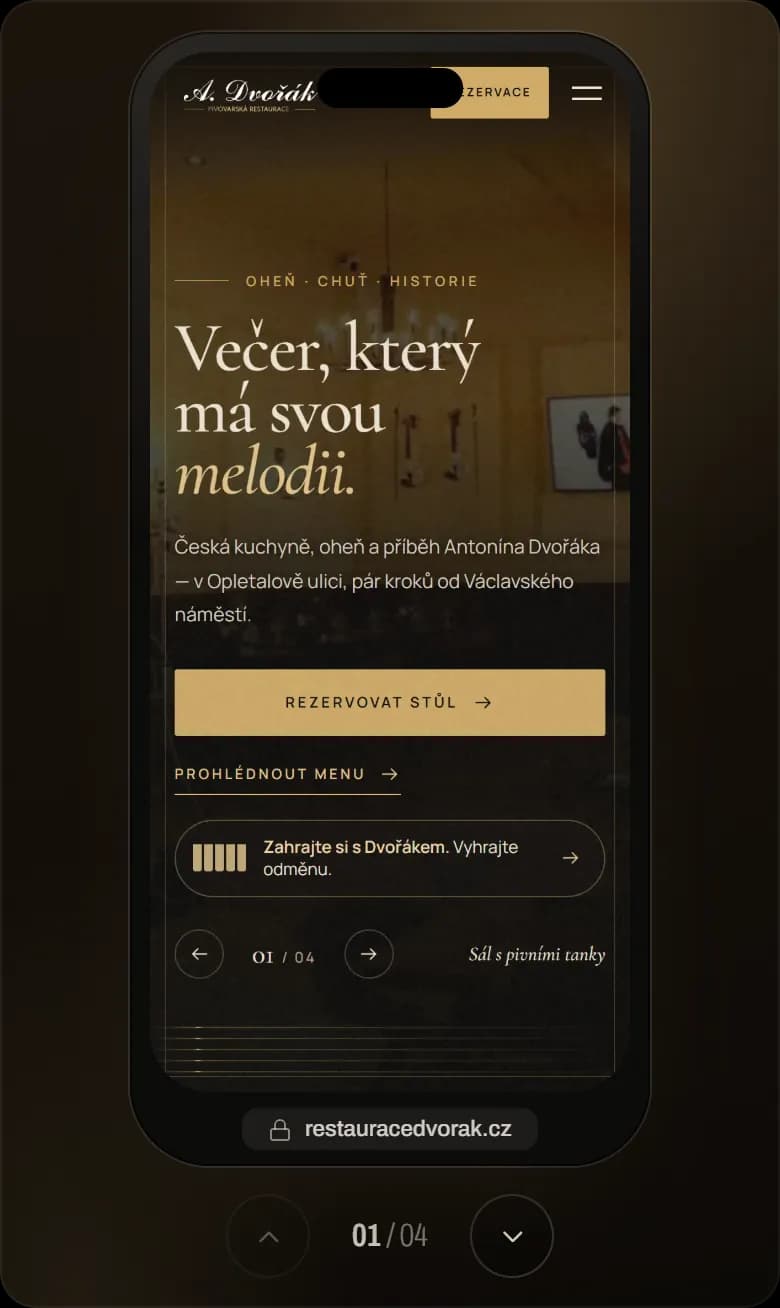
A bespoke website on your own domain — with RestoCraft booking, the live menu and the loyalty programme built in. What a guest does on the website goes straight into one system.
Switch between restaurants and devices and walk the guest's path through the website — from its own domain to a booking that lands straight in RestoCraft.
Real screenshots of the websites, shown with the restaurants' consent. Bookings in the demo are not sent.
Loyalty and guest return
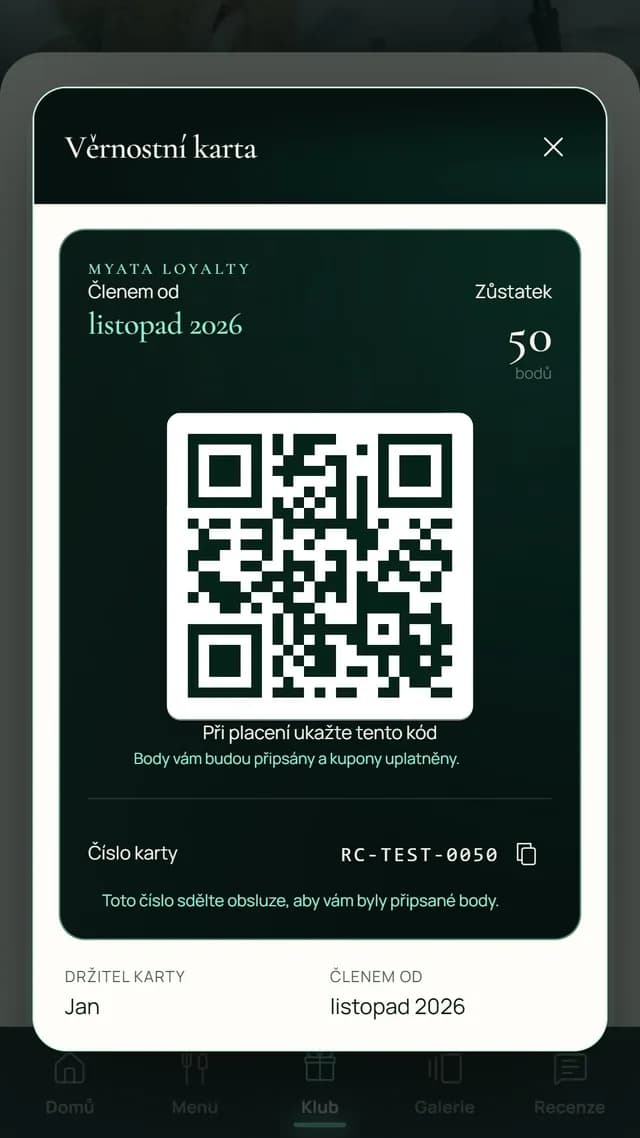
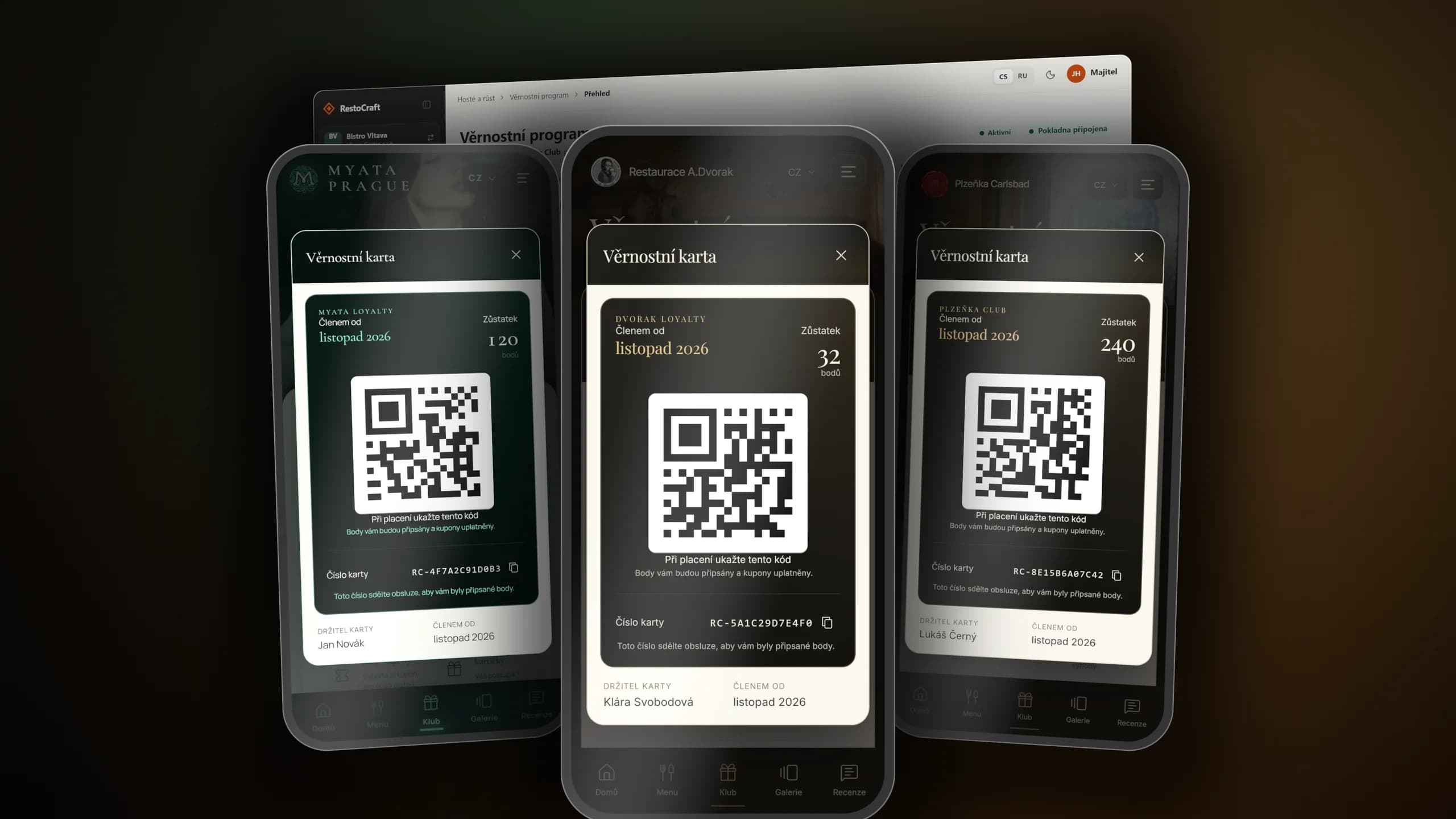
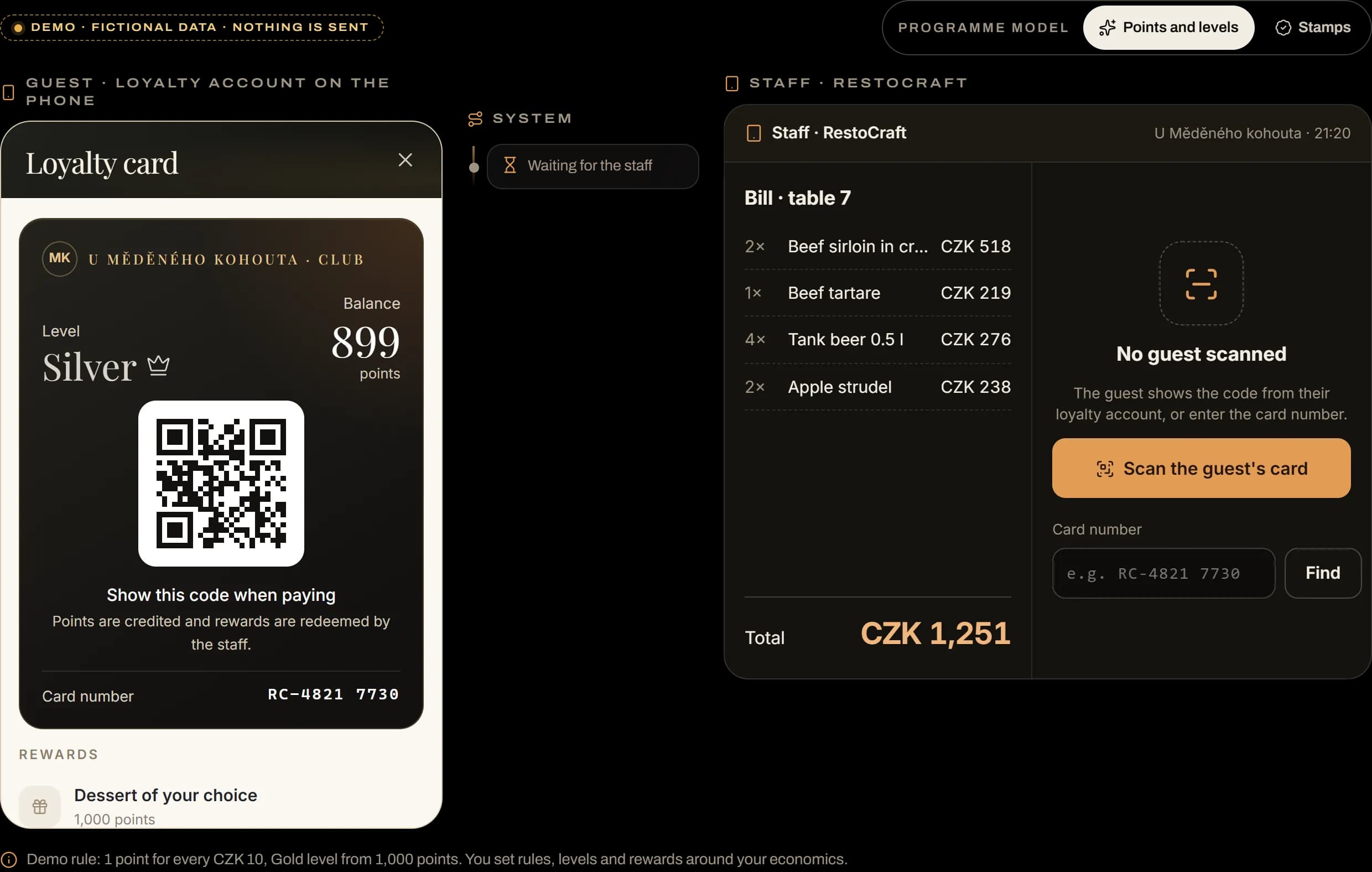
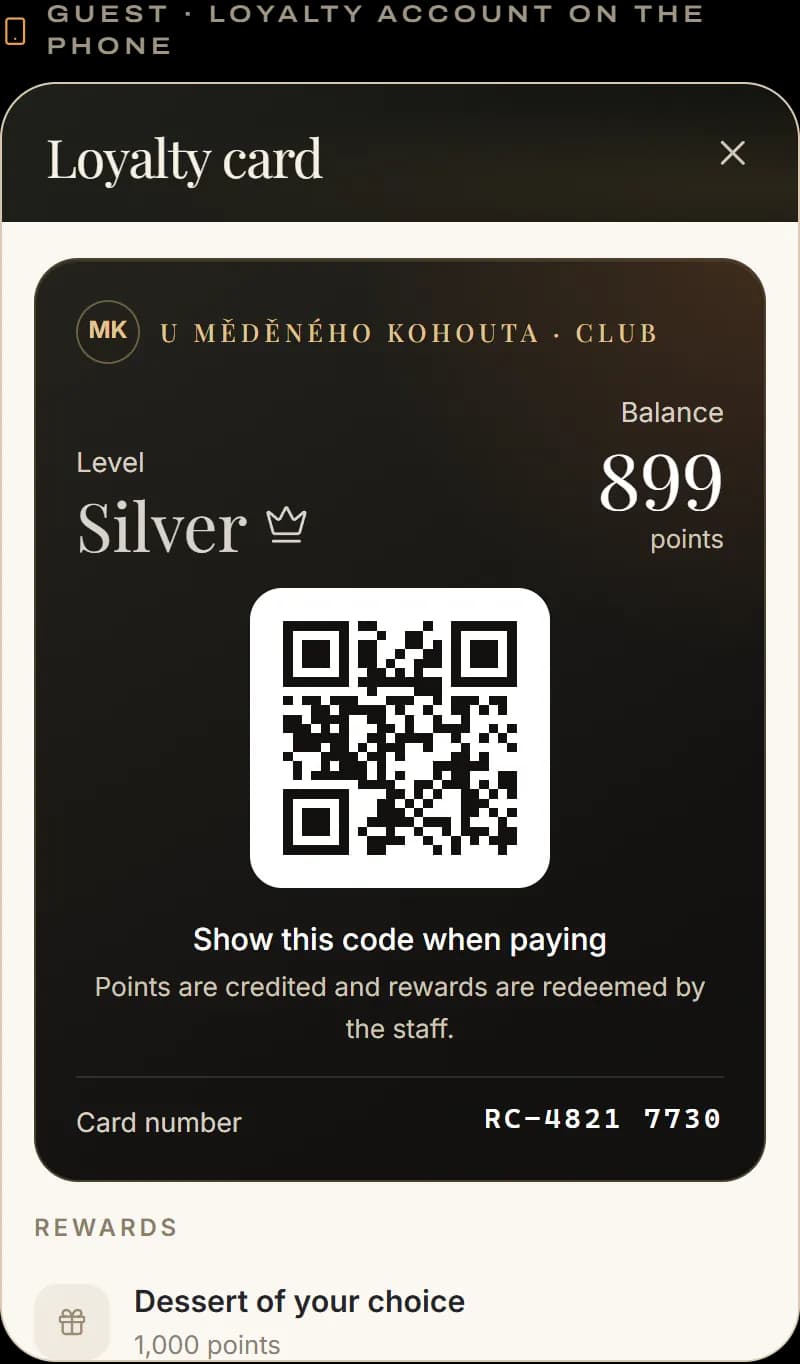
The loyalty card lives in the guest's phone — no app, no plastic. The staff scans it at the bill, adds points and redeems a reward. And guests who have not been back for a while get an invitation to return.
On the left the guest's card in the phone, on the right the staff: scan the card, add points for the bill and redeem a reward. You can switch to a stamp card too.
A demo with made-up data — nothing is sent.
Platform modules
Choose a solution for your operation — from the first contact with a guest to their next visit.
The guest's path through one system
The guest's data travels with them from the website to the next visit — no module starts from scratch and nothing is retyped.
8 modules
Online booking, reservation management, guest details, and connected table workflows.
Published multilingual digital menus designed for mobile and QR access.
Customer profiles combining identities, consent, visits, notes, tags, and related history.
Points, levels, stamp cards, rewards, referrals, and connected loyalty workflows.
First-party feedback collection, reputation workflows, analysis, and problem visibility.
Visual layouts for halls, tables, zones, seats, blocks, and occupancy workflows.
Employee profiles, time clock, breaks, shifts, schedules, and timesheet workflows.
Branded multilingual restaurant sites connected to selected RestoCraft modules.
Why RestoCraft
Reservations, visits, reviews and loyalty build one relationship.
Modules share status and context without manual exports and repeated data entry.
Your restaurant does not have to change everything at once or buy unnecessary features.
Setup, migration, training and launch support are part of implementation.
We review your operation and priorities before choosing modules.
The problem is not a lack of apps. It is that they do not talk to each other.
Standalone tools
RestoCraft
Pricing
Subscriptions, one-off implementation and any third-party fees are always shown separately.
We prepare an exact quote based on your scope and operation.
Implementation is quoted separately according to scope. It includes configuration, migration, training and launch support.
Book a consultationImplementation options
The scope adapts to whether you are launching one feature, migrating an existing solution or bringing several venues together.
For a restaurant that wants to address one clear priority quickly.
Book a consultationFor an operation that wants to keep its POS, website or other tools that work well.
Request implementationFor a new concept, hotel, chain or more complex restaurant group.
Talk to our teamFAQ
Missing an answer? We can discuss your current tools and recommend a realistic first step.
Talk to our teamNo. RestoCraft is modular. Start with one solution and add others when they make sense for your business or operation.
It depends on the provider and its available API. Before starting, we check the direction of synchronisation, supported data and responsibility for operating the integration.
Starting with one module is much quicker than a rollout across several venues. Timing depends on migration, integrations and data readiness.
Yes. Depending on your website's capabilities, reservations, menus, reviews and other elements can be integrated without a complete redesign.
The restaurant remains the controller of its operational and customer data. Access, roles, consent and processing are configured for each deployment.
Yes. A single venue can start with reservations, a menu or loyalty. You do not need to use the features for restaurant groups.
We first map the source data, its quality and consents. A test import and verification follow before the managed transition to live operation.
The monthly subscription is separate from one-off implementation. Launch costs depend on the modules, migration, integrations and number of venues.
Choose from the RestoCraft products. Together, we will plan how to connect them around your restaurant's needs.
Next step
Tell us about your operation and the tools you use today. We will recommend a realistic first step and show you the modules that fit your needs.
Platform example
Describe your restaurant and current tools. We will build the demonstration around the processes that matter to you.
Request a demo